Getting Started
Execution
- CLI
- Docker
# Option A: Just give me a barebones setup of the latest Conduit release (includes Authentication)
npx @conduitplatform/cli deploy

# Option B: I wish to bring up extra modules and perform some basic configuration
npx @conduitplatform/cli deploy --config
Prerequisites
# Set up the Container Network
docker network create conduit

# Start Redis
docker run -d --name conduit-redis \
              --network-alias redis \
              --network "conduit" \
              -h conduit-redis \
              -p 6379:6379 \
              docker.io/library/redis:latest

# Start Conduit
docker run -d --name conduit-core \
              --network-alias conduit \
              --network "conduit" \
              -h conduit-core \
              -p 55152:55152 -p 3030:3030 -p 3031:3031 \
              -e REDIS_HOST="conduit-redis" -e REDIS_PORT="6379" \
              ghcr.io/conduitplatform/conduit:latest

# Start MongoDB
docker run -d --name conduit-mongo \
              --network-alias mongo \
              --network "conduit" \
              -h conduit-mongo \
              -p 27017:27017 \
              docker.io/library/mongo:latest

# Start Database
docker run -d --name conduit-database \
              --network-alias database \
              --network "conduit" \
              -h conduit-database \
              -e REGISTER_NAME="true" -e CONDUIT_SERVER="conduit-core:55152" \
              -e DB_TYPE="mongodb" \
              -e DB_CONN_URI="mongodb://conduit-mongo:27017" \
              ghcr.io/conduitplatform/database:latest
# Start Router
docker run -d --name conduit-router \
              --network-alias router \
              --network "conduit" \
              -h conduit-router \
              -p 3000:3000 -p 3001:3001 \
              -e REGISTER_NAME="true" -e CONDUIT_SERVER="conduit-core:55152" \
              ghcr.io/conduitplatform/router:latest
docker run -d --name conduit-authentication \
              --network-alias authentication \
              --network "conduit" \
              -h conduit-authentication \
              -e REGISTER_NAME="true" -e CONDUIT_SERVER="conduit-core:55152" \
              ghcr.io/conduitplatform/authentication:latest
At this point, you should have a functional Authentication instance.
You can now, create and manipulate users through the Admin Panel.
Using the Admin Panel
The Users tab is where User manipulation takes place.
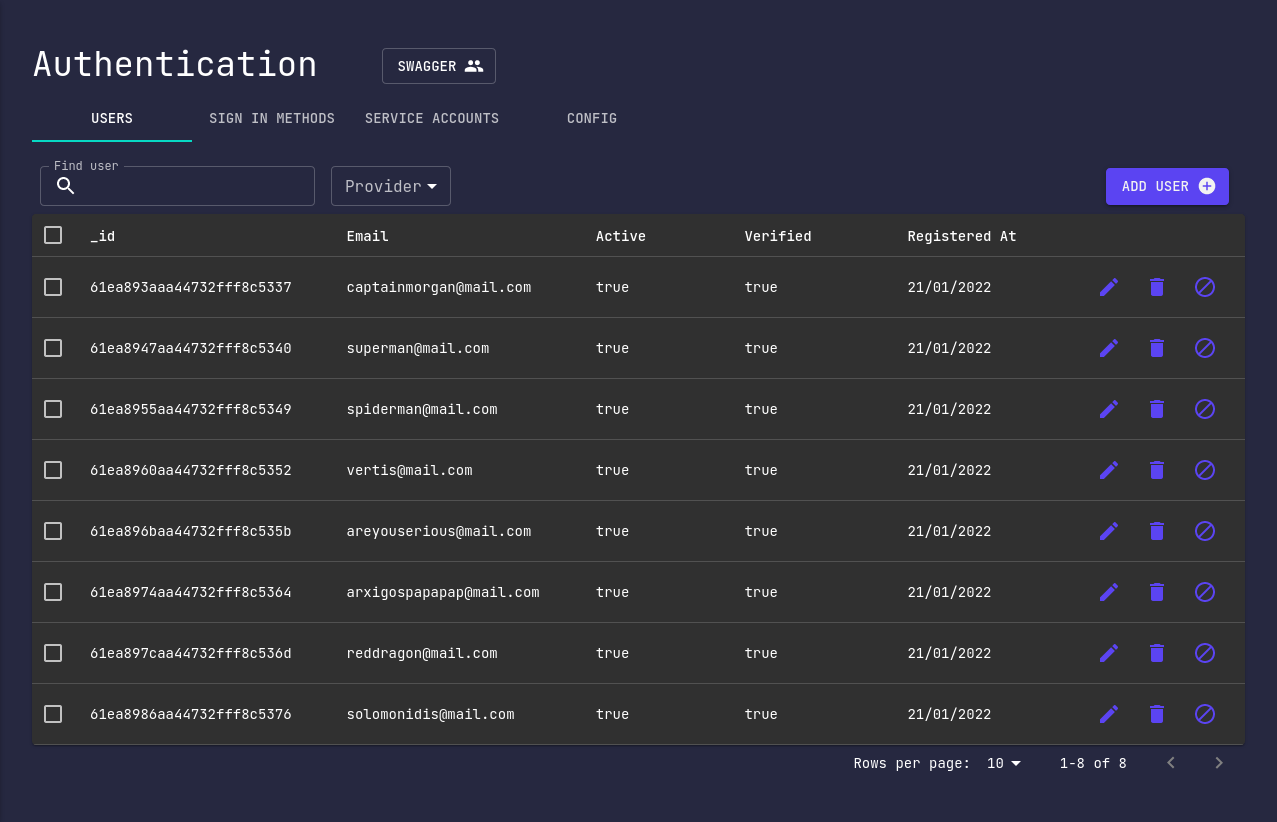
User
Let's talk about creating, editing and deleting users.
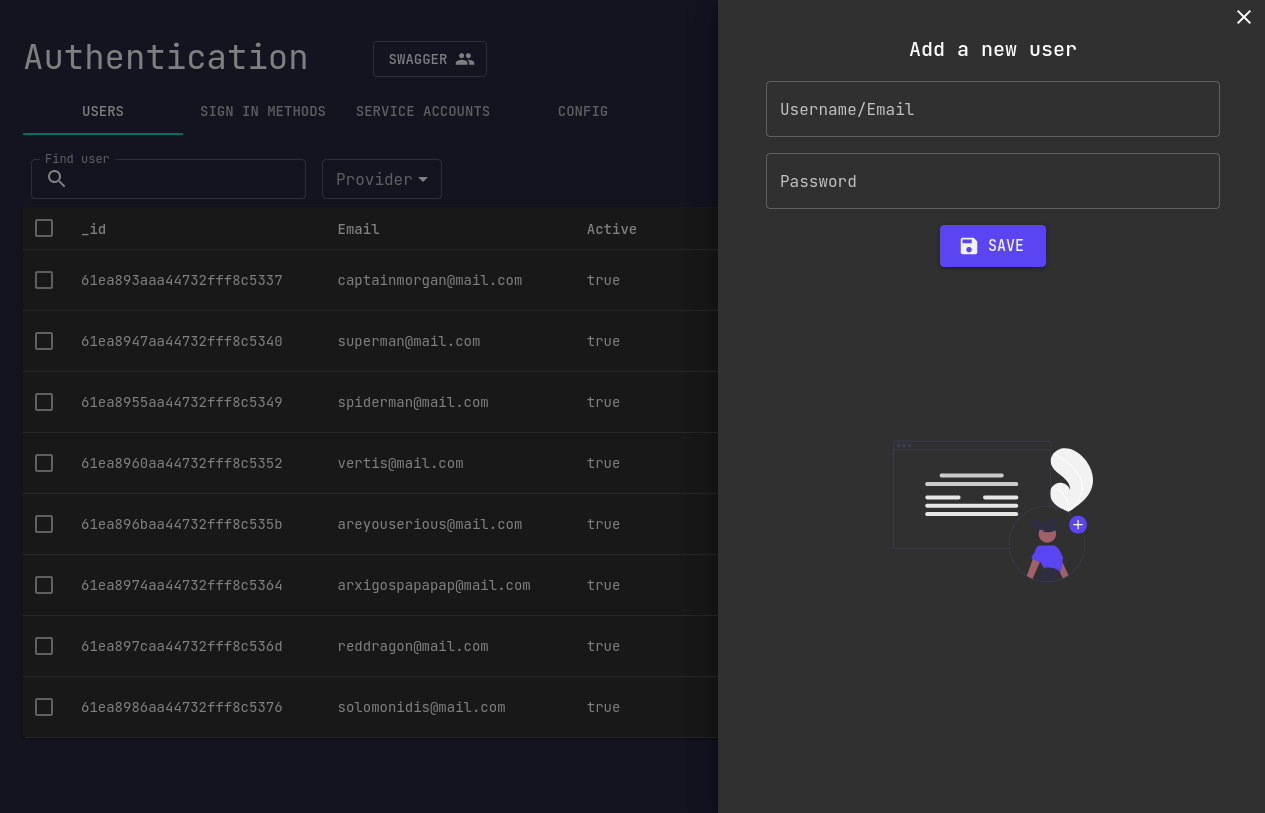
Create
A basic operation you may want to perform is creating a user.
Edit
By clicking the corresponding edit button, you'll see the edit pop-up window.
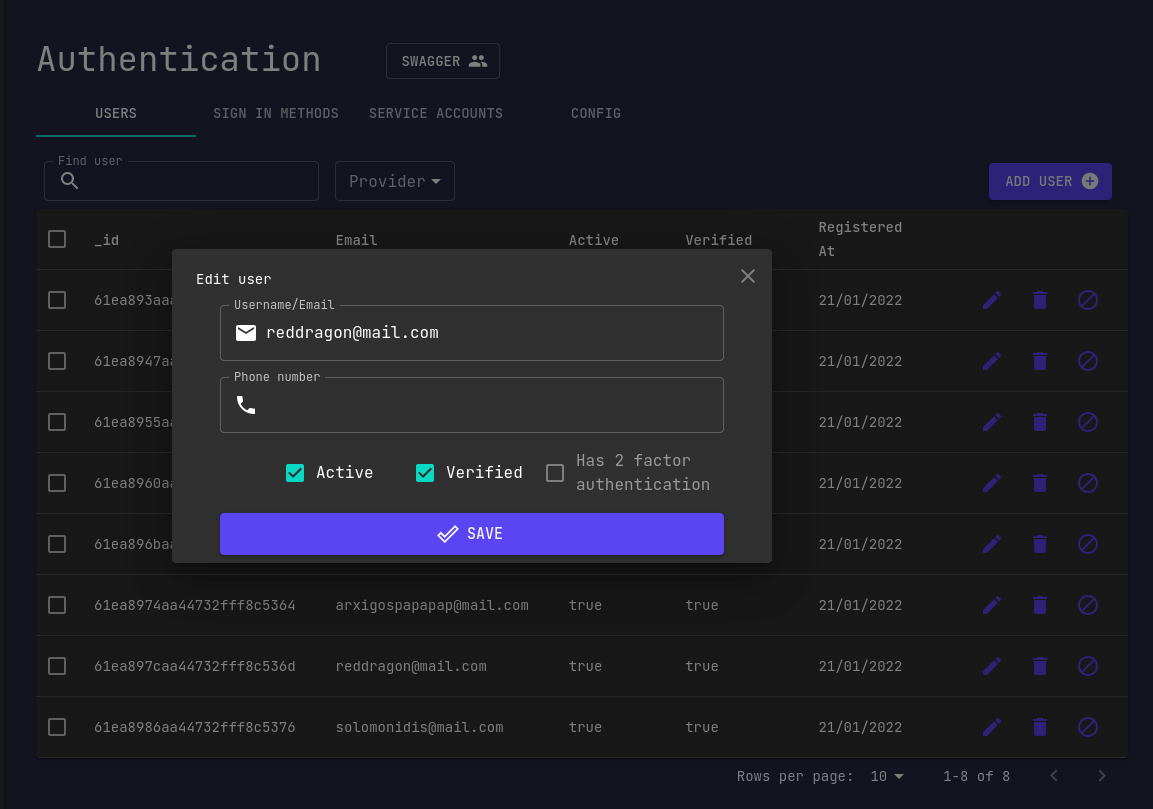
You can either change your email or add you phone number.
In case that you want to enable 2FA, fill-in the phone field and tick the corresponding box.
Delete
In order to delete multiple users at once, select the users that you want to delete and click the corresponding button.